
The web app in a wrapper
Desktop layouts squeezed onto a phone, with tap targets and forms never meant for thumbs.
Android and iOS apps built for everyday use.
We design and build mobile applications around the person holding the phone — the pharmacist between customers, the field team between sites — so the app fits the job rather than the org chart.
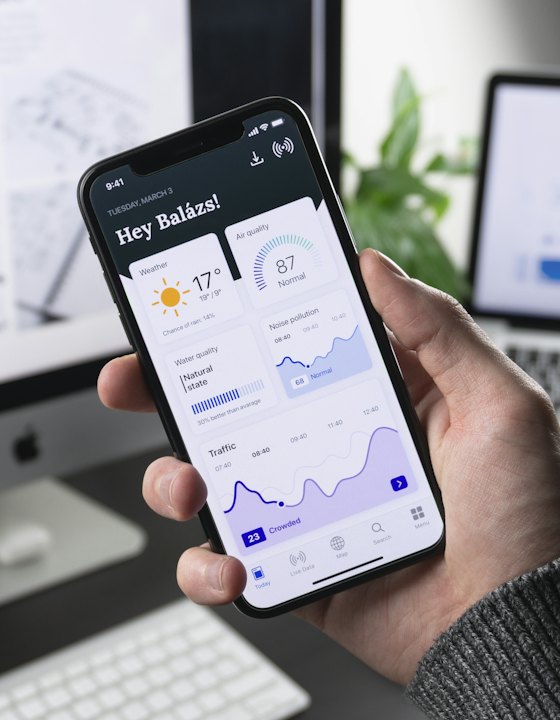
A responsive site wrapped in an app shell is the cheapest thing to build and the first thing users delete. The screens are too dense, the flows assume a keyboard, and nothing works when the signal drops.
We start from the moments the app is actually opened — usually short, one-handed and interrupted — and design the smallest interface that gets that job done. The member management app we built for a medical association exists for exactly those moments.
The patterns we see most often when a business asks us to look at what they have.
Desktop layouts squeezed onto a phone, with tap targets and forms never meant for thumbs.
No role model, so a retailer, a supplier and an administrator all land on the same screen.
No clear reason to return, so installs happen once and the app dies on the home screen.
No release process, so every update becomes an event rather than a routine.
From the first conversation through to the live build and the support after it.
We map the handful of jobs the app must do well before designing a single screen.
Thumb-reachable layouts, legible type and states designed for interruption and poor light.
One codebase covering Android and iOS, built against your real data rather than mock screens.
Each member type sees only what belongs to them, enforced on the server as well as the screen.
Clean contracts with your backend or portal so the app and the web stay in step.
Store submission, versioning and the fixes that follow once real users are in.
The same standards, scoped to what the business actually needs right now.
A mobile front for a system you already run — the same pattern behind the member management app in our portfolio.
Task, capture and reporting flows for teams working away from a desk.
Accounts, content and transactions when the app is the business rather than an extension of it.
The same eight stages behind every build on this page — scaled up or down to fit the project, so you always know what comes next.
Clarify the business goal, the people who will use it and how success gets measured — before any interface or stack decisions.
Map the journeys, content structure and enquiry paths so the product is organised around how customers actually decide.
Settle data models, access rules, integrations and hosting, along with the non-functional requirements that shape them.
Build a coherent visual system and high-fidelity screens, reviewed with you before a line of production code is written.
Ship working slices of the product with code review, a demo at the end of each sprint and continuous integration behind it.
Wire up third-party systems, harden access and security, and test the critical flows against real data before launch.
Deploy to production, watch load times, finalise metadata and sitemaps, submit through Search Console and train your operators.
Monitor the live product, fix what surfaces in real use, and plan the next round of work against what the data shows.
Part of how the work is done, not upsells after launch.
Sensible behaviour when the connection drops mid-task, not a blank error screen.
Opens and is usable in seconds, because most sessions are under a minute.
Readable type sizes, contrast and touch targets that work for every age of user.
Token handling and role checks done properly rather than hidden in the interface.
You can see which flows are used and which were built for nobody.
OS updates, store policy changes and fixes handled as routine work.
Cross-platform for most business apps — one codebase covering both stores keeps cost and maintenance sane. Native is the right call when the app leans hard on device hardware.
Every build on this page draws on the same set of services, kept inside one small team rather than spread across vendors.
From idea to impact — we're here to turn your vision into long-term value.